
YouTube Music
Google LLCMusic & Audio
4.4493.08K Reviews
- Version
- Varies With Device
- Installs
- 5.00B
- Age Rating
- Teen
Screenshots

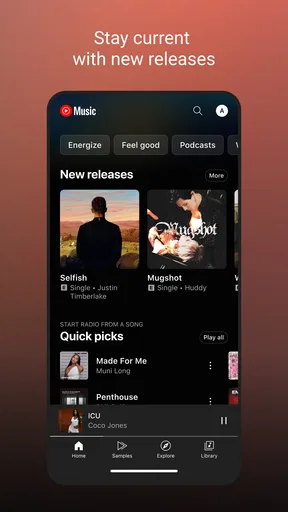
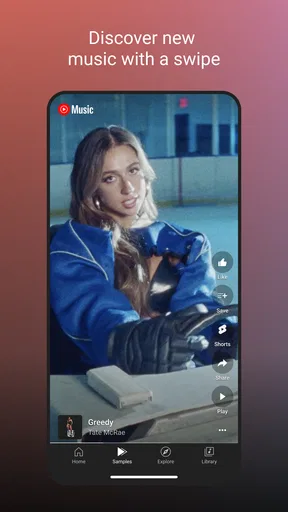
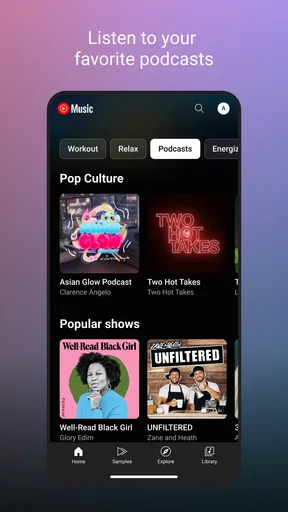
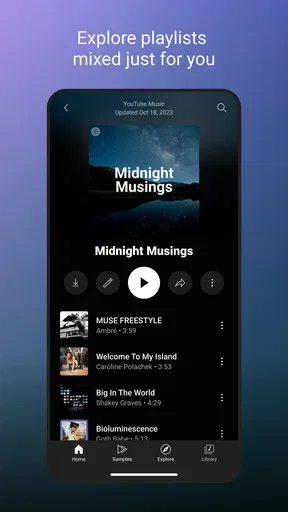
Our Review of YouTube Music
 Analysis by Appyee
If you're anything like me, music is a constant companion. Whether I'm working, driving, or just chilling at home, there's always a soundtrack playing in the background. That's why I was excited to try out YouTube Music, an app that promises to bring all the music you love right to your fingertips. After spending some time with it, here's what I found.
Getting Started with YouTube Music
Starting off with YouTube Music is a breeze. Downloading the app is quick and simple, and it’s available on both Android and iOS, which is always a plus. Once installed, you're greeted with a slick, user-friendly interface. I appreciated the clean design; it’s intuitive and makes navigation feel effortless.
One of the first things you’ll do is sign in with your Google account. This integration is seamless and helps personalize your experience right from the get-go. The app uses your YouTube history to recommend music, which for me, made the whole experience feel tailor-made.
Exploring Features and Functionality
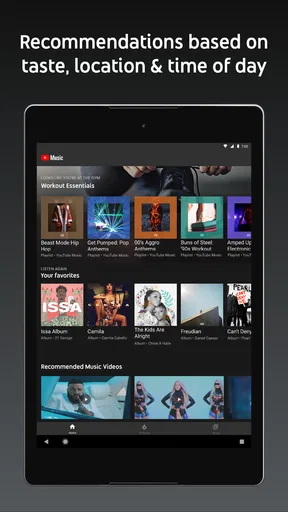
Discovering new music is a big part of what makes YouTube Music stand out. The "Home" tab offers a curated list of recommendations that evolve as the app learns your tastes. I found myself constantly finding new artists and tracks I wouldn’t have stumbled upon otherwise.
The "Hotlist" section is where you'll find trending hits. It’s a great way to stay up-to-date with what’s popular globally. I found it particularly handy for discovering new genres and artists that are making waves.
One feature that really caught my attention is the "Library." This is where all your saved music, playlists, and albums reside. You can create playlists, add songs to your favorites, and even download tracks for offline listening. The offline feature is a lifesaver for those times when you're off the grid but still want your tunes.
Sound Quality and Performance
As for sound quality, YouTube Music doesn't disappoint. The audio is crisp and clear, whether you're using headphones or blasting it through your car speakers. The app also offers different quality settings, allowing you to choose between low, normal, and high quality depending on your data plan. I usually stick to high quality when I'm on Wi-Fi, and it sounds fantastic.
Performance-wise, the app is pretty solid. It loads quickly, and I didn’t experience any major lags or buffering issues. Even when streaming videos, the transition is smooth, which is not something every music app can boast.
Customization and User Experience
One of the aspects I love about YouTube Music is the level of customization it offers. You can tailor your playlists, choose your favorite music videos, and even adjust the app's appearance with dark mode, which is easy on the eyes during late-night listening sessions.
The app’s ability to switch between audio and video seamlessly is another highlight. Sometimes I like to watch the music video, and other times I just want the audio. With YouTube Music, it’s as simple as tapping a button.
Final Thoughts
Overall, YouTube Music has impressed me with its extensive features and user-friendly interface. It’s a versatile app that caters to music lovers who enjoy both mainstream hits and niche tracks. While there are plenty of music apps out there, YouTube Music’s integration with YouTube and its recommendation engine make it a standout option. Whether you're a casual listener or a hardcore music enthusiast, there’s something in this app for everyone.
If you haven't tried YouTube Music yet, I recommend giving it a shot. It's more than just a music app; it's a gateway to discovering new sounds and enjoying your favorites in a whole new way.
Privacy and Permissions
See what permissions an app requests and how it handles your data.
- Identity
- find accounts on the device, add or remove accounts
- Contacts
- find accounts on the device
- Location
- precise location (GPS and network-based)
- Photos/Media/Files
- read the contents of your USB storage, modify or delete the contents of your USB storage
- Storage
- read the contents of your USB storage, modify or delete the contents of your USB storage
- Camera
- take pictures and videos
- Microphone
- record audio
- Wi-Fi connection information
- view Wi-Fi connections
- Other
- view network connections, pair with Bluetooth devices, access Bluetooth settings, change network connectivity, connect and disconnect from Wi-Fi, full network access, control Near Field Communication, run at startup, draw over other apps, use accounts on the device, control vibration, prevent device from sleeping, modify system settings, read Google service configuration
How YouTube Music Compares
Full ComparisonYouTube Music suits listeners who want music alongside videos, Spotify fits playlist-led discovery and podcasts, and Apple Music appeals to subscribers seeking ad-free listening and strong audio.
| App | Developer | Rating | Price |
|---|---|---|---|
 YouTube MusicThis App | Google LLC | 4.4 | Free |
 Spotify: Music and Podcasts | Spotify AB | 4.3 | Free |
 Apple Music | Apple | 4.5 | Free |
Verdict
Strengths of YouTube Music
- Extensive music library and playlists.
- Seamless integration with YouTube videos.
- Offline listening with premium subscription.
- User-friendly and intuitive interface.
- Smart recommendations based on taste.
Limitations of YouTube Music
- Ads can interrupt listening experience.
- High data usage without premium.
- Limited features in free version.
- Occasional app crashes reported.
- Background play requires subscription.
Other Releases by Google LLC
View All
Google Calendar
Productivity4.6

Google Messages
Communication4.6

Tools4.0

Google TV
Video Players & Editors3.9
Similar Picks in This Category
View All
Samsung Music
Samsung Electronics Co., Ltd.3.8

Spotify: Music and Podcasts
Spotify AB4.3

JioSaavn - Music & Podcasts
Saavn Media Limited4.3

Lark Player:Music Player & MP3
Lark Player Studio - Music, MP3 & Video Player4.6

StarMaker: Sing Karaoke Songs
SKYWORK AI PTE. LTD.4.3

Shazam: Find Music & Concerts
Apple Inc.4.8
You May Also Like
View All


Frequently Asked Questions
What is YouTube Music and how does it differ from other music streaming apps?
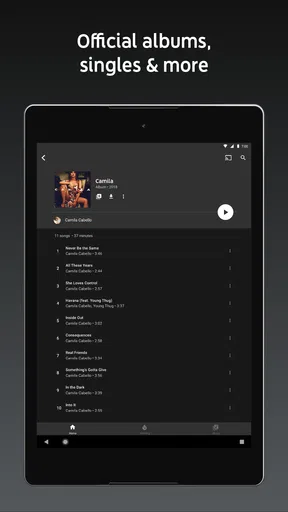
YouTube Music is a music streaming service that offers a vast library of official songs, albums, playlists, and artist radio. Unlike other streaming platforms, it also provides access to a wide range of remixes, live performances, and user-generated content available on YouTube. This unique feature allows users to discover music they might not find on other services.
Can I use YouTube Music offline and without ads?
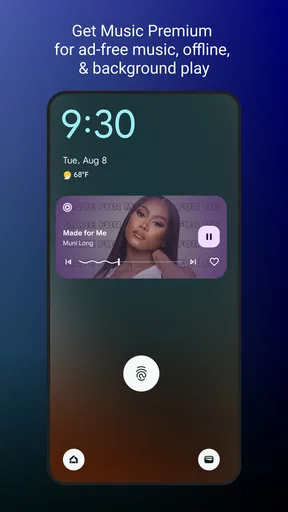
Yes, YouTube Music offers an offline mode and an ad-free experience, but these features require a YouTube Music Premium subscription. With the premium version, you can download your favorite tracks and playlists for offline listening and enjoy uninterrupted music without ads. The subscription also includes background play, allowing you to listen while using other apps.
How does YouTube Music's personalized recommendations work?
YouTube Music uses machine learning algorithms to personalize recommendations based on your listening habits, search history, and liked songs. The app curates playlists and suggests new music tailored to your tastes. Additionally, it offers a 'Discover Mix' and 'New Release Mix' to help you explore new artists and tracks based on your preferences.
Is YouTube Music available on all devices?
YouTube Music is available on a wide range of devices, including Android and iOS smartphones and tablets. It can also be accessed via web browsers on desktop computers. Additionally, you can use it with smart speakers and TVs that support the YouTube app. This cross-platform availability ensures you can enjoy your music wherever you are.
What are the privacy and data usage policies of YouTube Music?
YouTube Music adheres to Google's privacy policies, which include the collection of user data to enhance service personalization and functionality. The app uses data such as search history, location, and activity to offer personalized recommendations. Users have control over their privacy settings and can manage data usage by adjusting streaming quality and download preferences.
